Refund in WooCommerce as usual, and sild creates the credit note in Merit Aktiva for you. Here's what happens with each kind of refund and with cancelled orders.
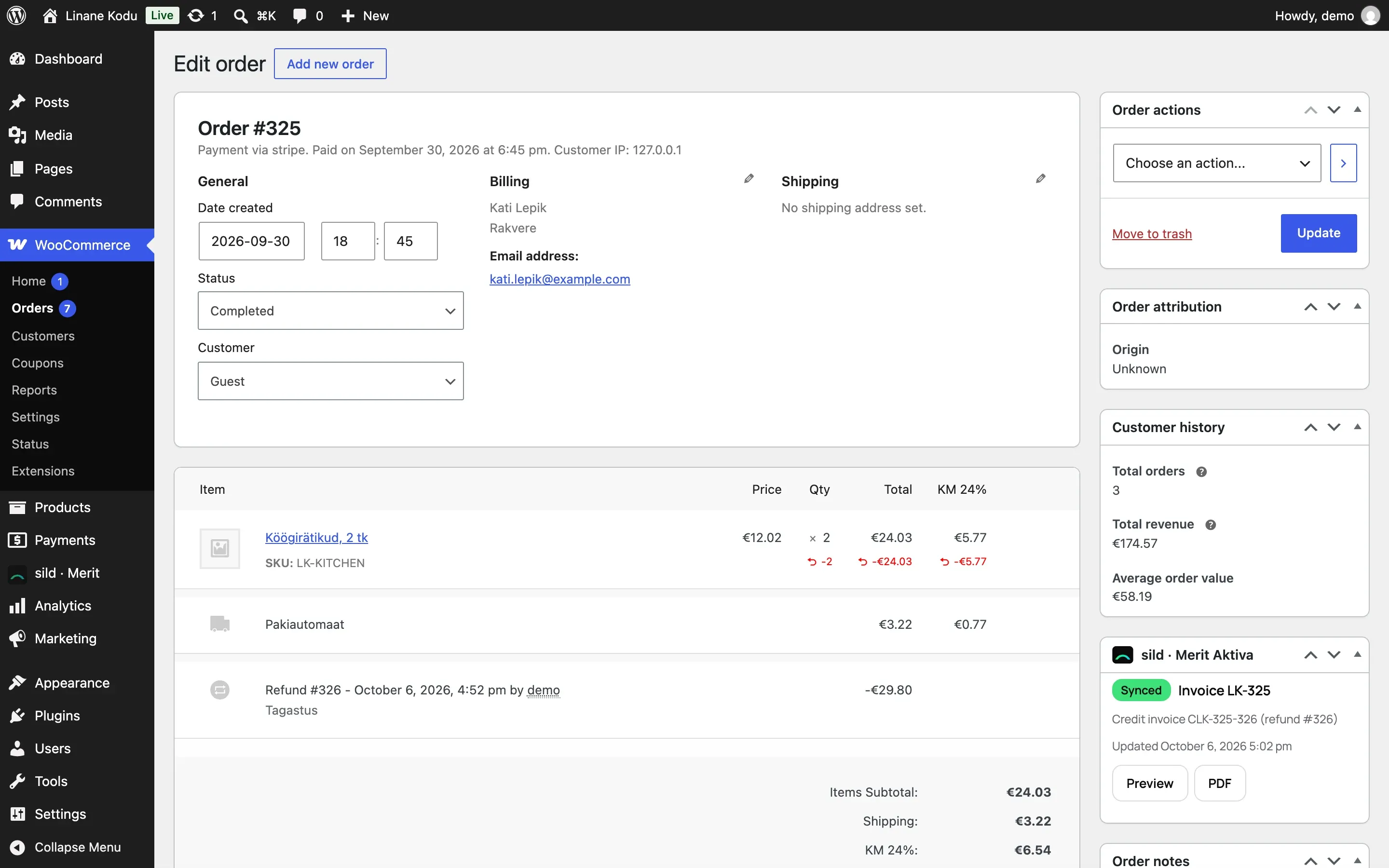
Refunds
- On the order screen, click Refund.
- Choose the lines and quantities, or enter an amount.
- Confirm the refund.
Done! sild creates a credit note in Merit Aktiva for every refund. Its number is the credit note prefix, the invoice number and the refund number, e.g. CLK-325-326. The sild · Merit Aktiva box on the order screen shows "Credit note CLK-325-326 (refund #326)", and a note is added to the order. In Merit Aktiva the credit note has the comment "Kreeditarve tellimusele #325" plus the refund reason, if you gave one.
- Full refund: all lines are credited.
- Partial refund by quantity: only those lines and quantities are credited. If the products are stock items in Merit Aktiva, the goods go back to the Warehouse for returns (empty means the sales warehouse).
- Amount-only refund (an amount entered without choosing lines): credited with the Refund item (
TAGASTUSby default). The amount is split across the order's VAT rates in proportion, so the VAT stays right.
If you refund before the invoice reaches Merit Aktiva, the credit note waits and is created right after the invoice.
Tip: when goods should go back to stock, refund by lines and quantities, not just by amount.
Cancellations
Choose what happens in Settings → Invoices → When an order is cancelled:
- Delete the unpaid invoice, otherwise create a credit note (default). Merit Aktiva doesn't let you delete a paid invoice.
- Always create a credit note. Both documents stay, which some accountants prefer.
- Do nothing.
For a Merit Aktiva company in Poland, sild never deletes invoices and always creates a credit note, because the invoice may already be in KSeF.
If the order was partly refunded before it was cancelled, the cancellation credits only what's left. If there was no invoice yet, there's nothing to undo in Merit Aktiva.
Offsetting
The checkbox Offset credit notes against unpaid invoices in Merit Aktiva adds a settlement there. That way a cancelled unpaid invoice and its credit note don't both stay open in the debtors list. Paid invoices are left alone.
Invoices made by the old plugin
After you go live, sild also credits refunds on orders the old plugin invoiced. The credit note number is built from the old invoice number.