Switch sild to live, and from then on it creates the invoices in Merit Aktiva. Here's how to do it so that no order gets two invoices.
In live mode sild creates sales invoices, credit notes and payments in Merit Aktiva. Until you switch, sild only reads and never writes.
The checklist on Overview
In preview mode, sild · Merit Aktiva → Overview shows the Ready to go live card with five steps:
- Merit Aktiva accepts the API key.
- VAT rates are matched: every WooCommerce rate has its Merit Aktiva rate, and untaxed lines have one too.
- Payment methods are matched.
- Preview check of past orders: at least some orders have been compared with Merit Aktiva. Below 95% matching, the step turns yellow. That's a warning, not a block.
- The previous Merit Aktiva integration is off.
Grey steps block the switch. Each one has a button that takes you to the right place. When nothing blocks, the Switch to live button appears.
Switch
- Turn off your current Merit Aktiva integration: deactivate the plugin or turn off its invoicing. While another one still creates invoices, sild won't let you switch.
- On Overview, click Switch to live. The same button is in Settings → Sync mode.
- Read the note, tick I understand invoices will be created in Merit Aktiva and click Switch to live.
Do steps 1 and 2 one right after the other. If an order comes in between and neither plugin invoices it, send it afterwards (see below).
Only a site administrator can switch.
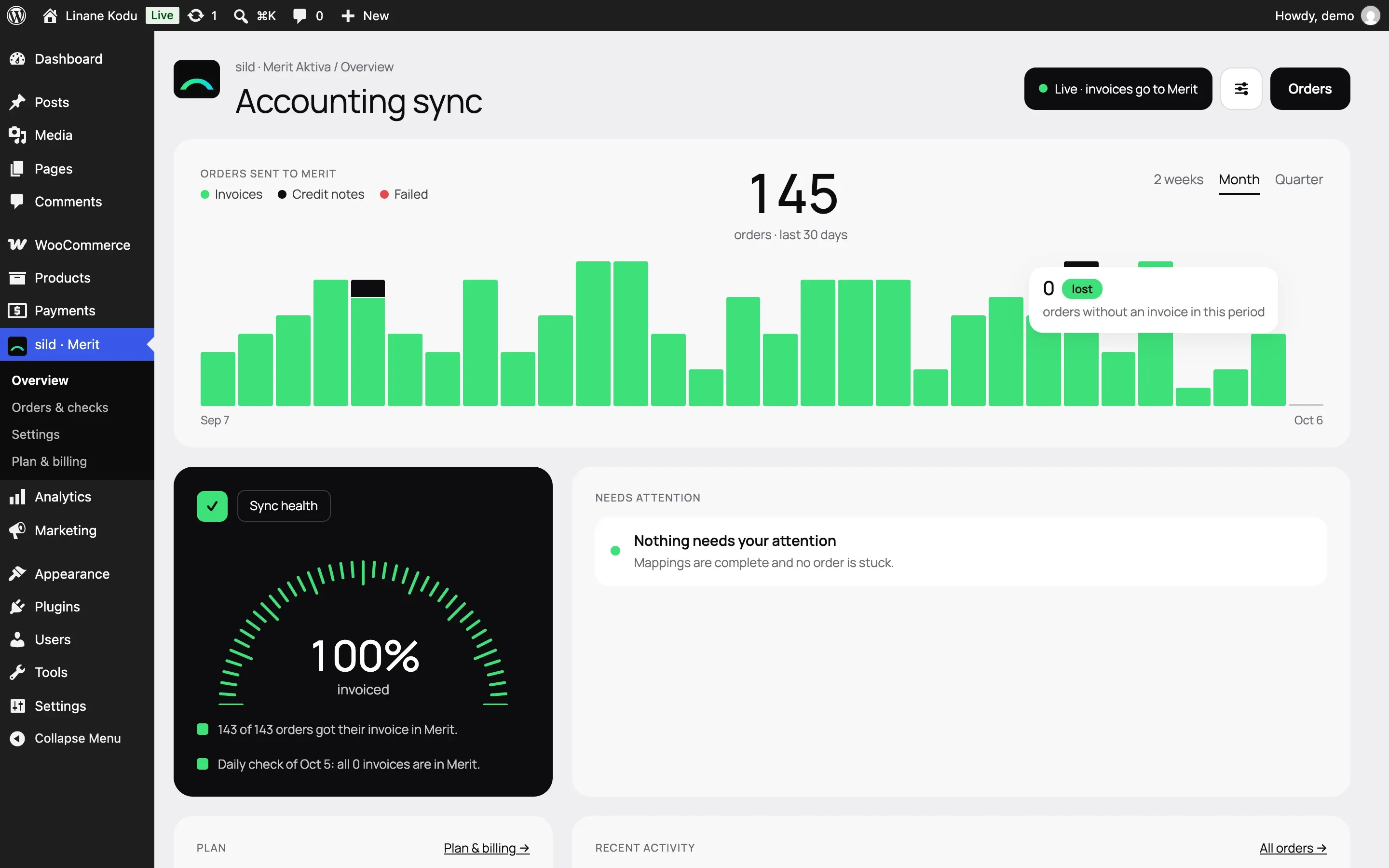
Done! The header now says "Live · invoices go to Merit Aktiva", and new orders get their invoices by themselves.
What changes
- New order events create invoices, credit notes and payments in Merit Aktiva.
- Past orders aren't sent again by themselves.
- Overview shows the orders sent to Merit Aktiva, sync health and the daily check.
- Invoices now count towards your plan's monthly limit. On the Free plan, orders over the limit wait until next month or an upgrade, and none are lost. Paid plans keep syncing. Plans are on the pricing page.
Invoices the old plugin made
Orders the old plugin already invoiced keep that invoice. sild remembers the invoice it found in preview mode. Before it creates any invoice, it looks in Merit Aktiva for one with the same number. If such an order is refunded or cancelled later, sild credits (or deletes) the old invoice. No order gets a second invoice.
If an order was left without an invoice around the switch:
- Open Orders & checks → Send past orders.
- Choose the period and click Start.
Orders that already have a Merit Aktiva invoice don't get a second one.
Changed your mind?
Go to Settings → Sync mode and click Return to preview mode. Invoices already created stay in Merit Aktiva. You can turn the old plugin back on if you need to.