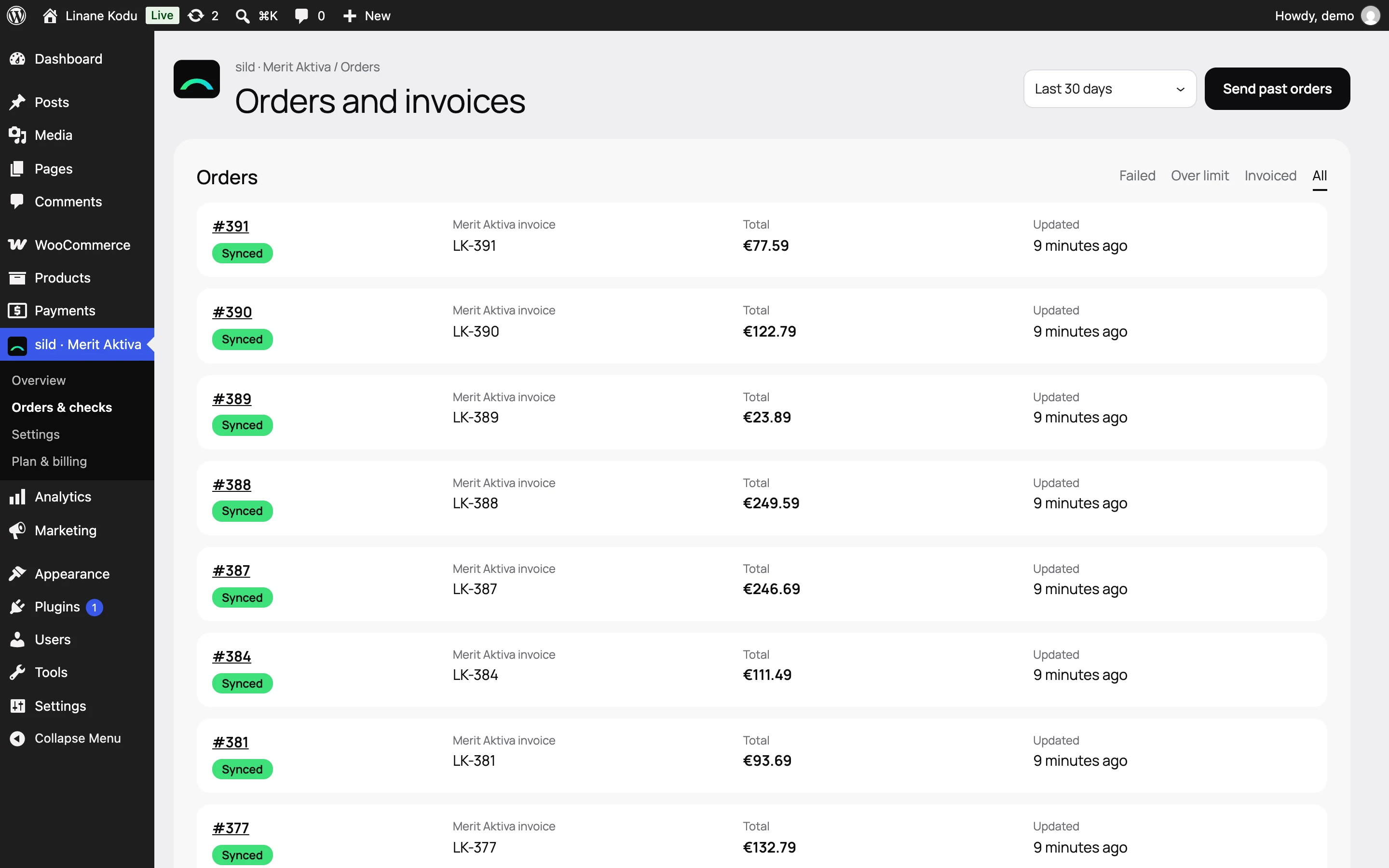
1Orders & checks
Every order at a glance
Filter failed, over-limit or invoiced orders and resend when needed.
Features
Invoices, refunds, payments, VAT and stock look after themselves, and sild only gets in touch when something needs you.
Order #194851
Invoice in Merit Aktiva straight away
Bank payment foundautomatic
Reference 1948514, order paid
Rounding €0.01
Invoice total = amount paid
Invoices01 / 06
Pick the order status that creates the invoice, per payment method if you like.
sild matches companies by registry code and private buyers by name, or keeps them all on one shared customer card.
sild finds each product in Merit Aktiva by its SKU and creates a missing one with the invoice.
Full, partial or amount-only: each refund gets its own credit note, never more than the invoice.
An unpaid invoice is deleted, a paid one gets a credit note. You choose the rule.
Discounts and gift cards land on the invoice correctly, in the customer's language.
Payments02 / 06
Each payment method maps to a method and bank account in Merit Aktiva, so a paid order arrives there paid.
Customers paying by bank transfer see the reference straight away, and the same number is on the Merit Aktiva invoice.
When a bank import or your accountant marks the invoice paid, the order moves on in the shop by itself.
For example, 7 days for bank transfers and none for cards.
If you like, a credit note is offset against its unpaid invoice, so the balance stays clean.
VAT03 / 06
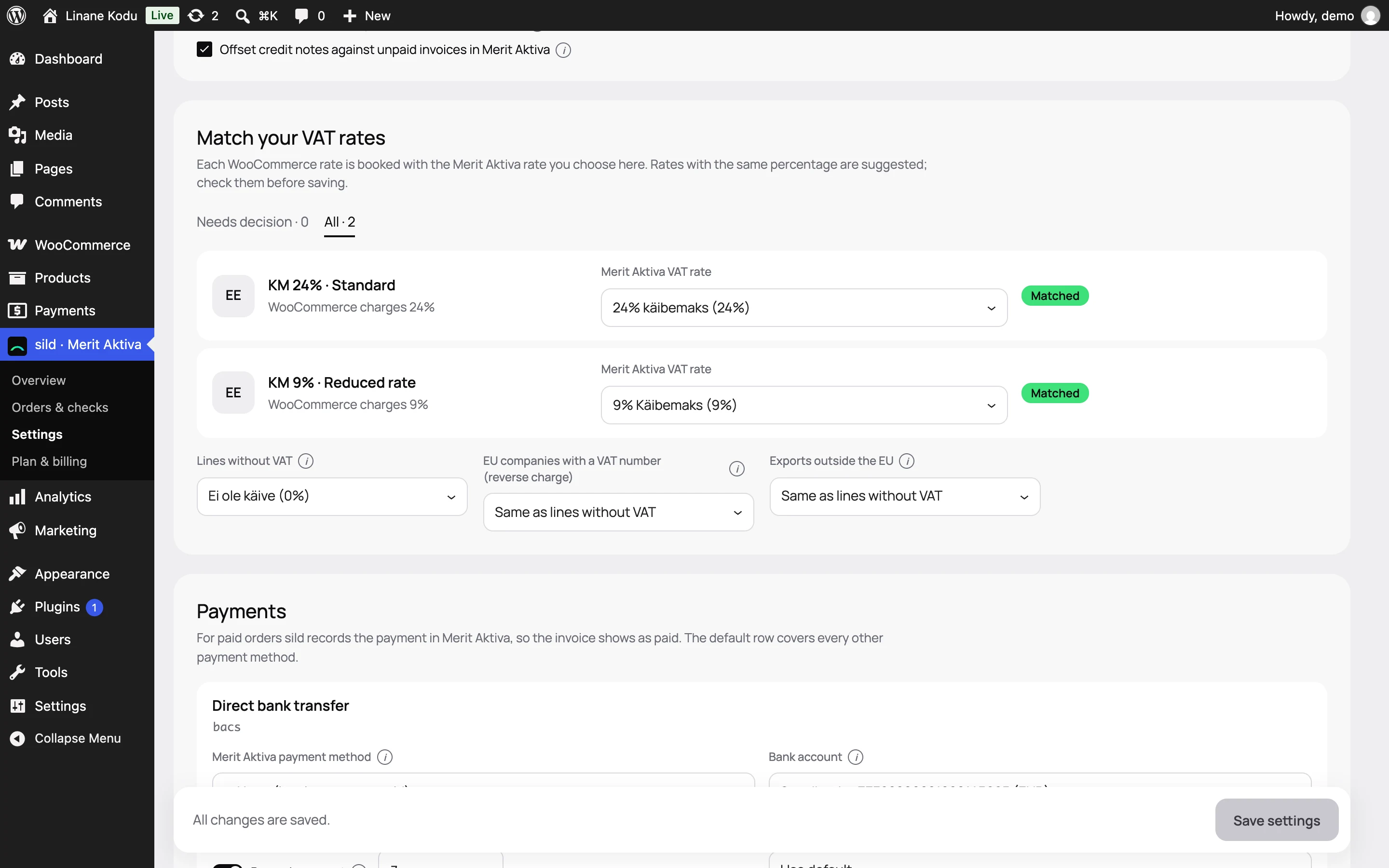
sild suggests a Merit Aktiva tax for each WooCommerce rate and warns you if the percentage doesn't match.
Each country's rate goes with its own Merit Aktiva tax, as OSS requires.
EU businesses with a VAT number and sales outside the EU get their own 0% tax.
The VAT number is checked on the spot, and a business with a valid one can buy without VAT.
Company name, registry code and VAT number on both the classic and the block checkout.
Control04 / 06
Before going live you see, order by order, whether sild's invoice matches the one in Merit Aktiva.
Every morning at 7am sild checks yesterday's orders in Merit Aktiva for deleted, changed or stuck invoices.
You get an email when an order fails or Merit Aktiva refuses your API key, not for every little thing.
Orders wait and retry, and before each retry sild looks the invoice up in Merit Aktiva, so a second one never appears.
A document dated in a closed Merit Aktiva period stops before it's sent, with the reason shown.
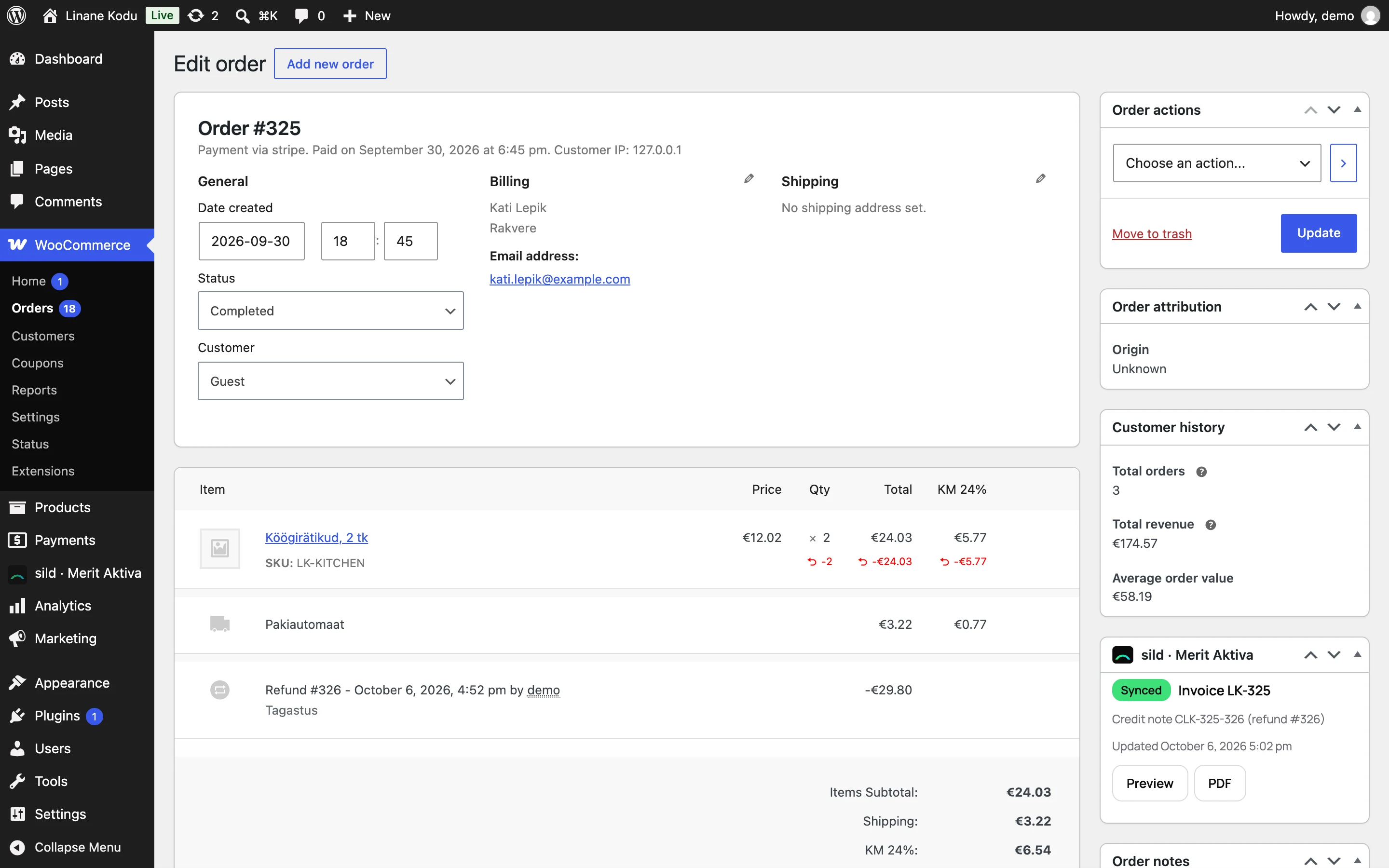
Invoice number, preview, PDF and resend, right on the order screen.
Stock and shops05 / 06
Levels from the warehouses you choose every 15, 30, 60 or 180 minutes, counting sales not yet invoiced.
Returned goods go to the warehouse you choose.
On Pro, up to 3 shops share one plan and book into the same Merit Aktiva company, each with its own number prefix.
One button also sends orders placed before sild was installed.
Works with WooCommerce's new order tables (HPOS) and both checkouts, with filters for developers.
Screens06 / 06
1Orders & checks
Filter failed, over-limit or invoiced orders and resend when needed.
2Order
Number, status, preview, PDF and credit notes, right where you already work with the order.
Preview mode runs on your real orders and writes nothing to Merit Aktiva.